SaveClip

How a VPN Actually Works: Tunneling and Encryption Explained

Last updated: April 9, 2026

Learn how VPNs encrypt and route your internet traffic through a secure tunnel. Understand encapsulation, protocols, and what your VPN provider can actually see.

NordVPN — Works in China
Imagine you're sending a letter through the mail, but you're worried someone at the post office might read it. So instead of writing on the envelope, you put your letter in a locked box, seal that box inside another envelope, and address the outer envelope to a trusted friend across town. When the postal service delivers it, they can see where it's going, but not what's inside. Your friend receives it, opens it, extracts your original letter, and forwards it to the actual recipient.

This is essentially what a VPN does with your internet traffic. But instead of envelopes and boxes, it uses mathematics and cryptography to hide what you're doing online. Understanding how this works requires understanding three things: what gets encrypted, how it moves, and what happens at each end.

What Happens When You Turn on a VPN

Before your VPN is active, your computer connects directly to websites. Your internet service provider (ISP)—the company that gives you internet access—can see which websites you visit, even if the connection to that website is encrypted. They cannot see what you do on the website (that part stays private), but they can see the domain names.

When you activate a VPN client (the software on your computer or phone), it immediately establishes a connection to a VPN server operated by your VPN provider. This isn't a regular internet connection. Instead, it's an encrypted channel using a specific protocol—a set of rules that govern how the connection is made and maintained. We'll discuss the common protocols in a moment. During this handshake, your computer and the VPN server authenticate each other and agree on encryption keys: secret numbers that will be used to scramble and unscramble data.

Once this tunnel is established, all your subsequent internet traffic flows through it.

Encapsulation: Wrapping Your Traffic

The core concept is called encapsulation. Think of it this way: your web browser wants to send a request to a news website. That request contains data—the headers, the URL path, your cookies, everything. In a normal internet connection, this data travels across the network mostly visible to anyone looking at the packets (the small chunks of data that flow across the internet).

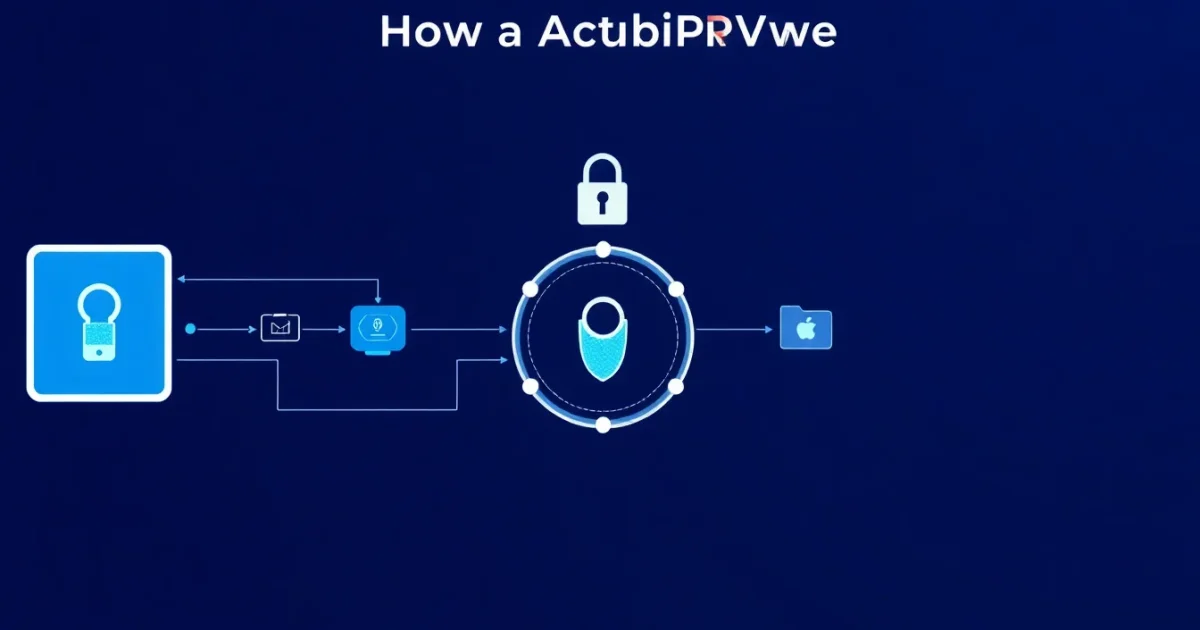
With a VPN, that entire data packet is taken and wrapped inside a new packet, like putting a box inside a larger box. The outer box is encrypted using the secret key agreed upon during the handshake. This encrypted outer packet is then sent not to the news website, but to your VPN server. From the perspective of your ISP, the router at your coffee shop, or anyone else monitoring the network, they see only that you're sending encrypted data to the VPN server. They don't see the destination website, or the content of your request.

The VPN server receives this encrypted packet, decrypts it using its copy of the secret key, extracts the original request inside, and forwards it to the actual destination. The news website receives the request and sends a response back. The VPN server receives that response, encrypts it, wraps it in a new outer packet, and sends it back to you through the same encrypted tunnel. Your VPN client decrypts it and hands it to your browser.

This back-and-forth happens thousands of times per second while you browse. From the website's perspective, the request came from the VPN server, not from you. Your real IP address (the unique identifier that normally marks you on the internet) is hidden behind the VPN server's IP address.

Common VPN Protocols

Several protocols exist for creating these encrypted tunnels. Each makes different tradeoffs between security, speed, and complexity.

OpenVPN uses standard encryption libraries and has been audited extensively. It's flexible and works on many platforms, but it can be slower because it's more general-purpose than protocols built from the ground up for VPN use.

WireGuard is newer and is designed from first principles to be fast and secure. It has less code than OpenVPN, which is good for finding and fixing vulnerabilities, but it's also younger and has had less real-world testing. Many security researchers consider it a significant advance.

IKEv2 (Internet Key Exchange version 2) is part of the IPsec standard and is used in enterprise networks. It's particularly good at maintaining a connection when you switch networks, like moving from WiFi to mobile data.

There is no universally "best" protocol. The choice depends on what you prioritize—speed, ease of use, auditing history, or platform support.

What Your VPN Provider Can Actually See

Here's where it gets important to be precise. A VPN provider can see:

— The websites you visit (the domain names), because they must forward your traffic somewhere
— The timing and amount of data you're sending, even if the content is encrypted
— Your real IP address, at least during the handshake
— Any traffic you send unencrypted over the VPN (for example, if you visit an HTTP website rather than HTTPS)

A VPN provider cannot see:

— The content of your HTTPS traffic (the webpages, emails, messages) because that's encrypted at a layer above the VPN
— Your search queries (if you use HTTPS, which most search engines do)

Your ISP, by contrast, cannot see which websites you visit at all when you use a VPN—only that you're connected to a VPN server. This is why a VPN is useful for privacy from your ISP or network administrator.

The critical point: a VPN shifts trust. Instead of trusting your ISP, you're trusting your VPN provider. They're not magic. They're a different party with access to different information. Choosing a VPN provider should involve thinking about who operates it, what their privacy policy says, and whether you trust them more than your ISP.

What This Means

A VPN is a straightforward technology: encrypt your traffic, send it through a tunnel to a server you trust, and have that server forward it onward. No magic, no backdoors, no claims that it makes you anonymous. What it does is shift who can see your internet activity. Used honestly, it's a practical tool for reclaiming privacy from your ISP or local network. Understanding the tradeoffs—what you hide and who you trust instead—is far more important than the marketing around any particular product.